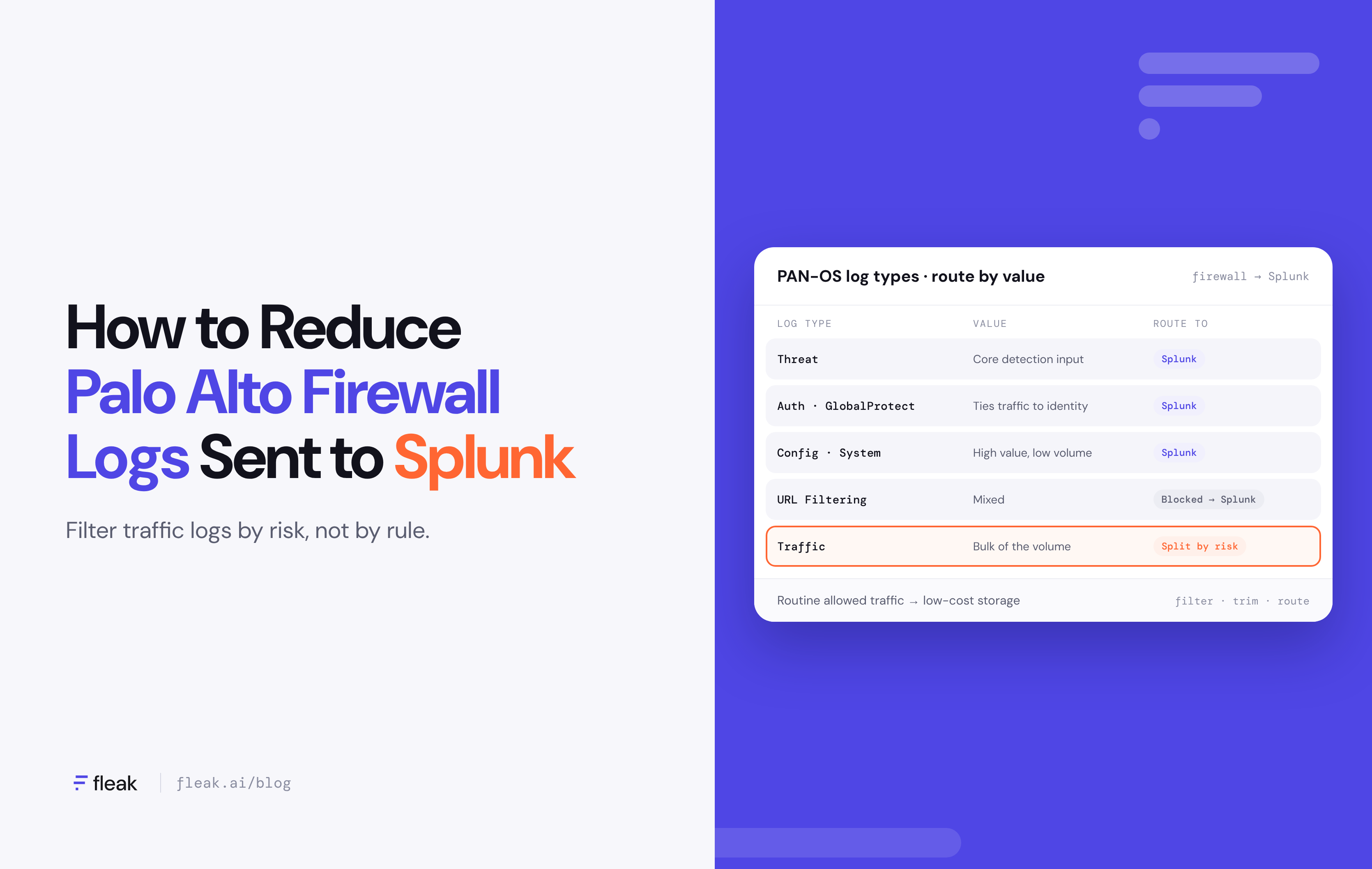
The short answer: Traffic logs usually make up most of the Palo Alto firewall data in Splunk, and many of them describe allowed, routine sessions that no detection ever reads. Log reduction means filtering, trimming, and routing those logs before they reach Splunk, so the SIEM indexes threats and high-risk traffic while the rest goes to low-cost storage. You lower ingest spend without losing visibility.
For many security leaders, the firewall is one of the largest data sources feeding the SIEM. A single Palo Alto Networks next-generation firewall can generate traffic, threat, URL filtering, decryption, authentication, and system logs, all at once. Multiply that across data centers, branch offices, and cloud firewalls, and firewall logs can quickly become a significant share of your Splunk license.
The usual response is to turn logging down at the firewall, which saves money but creates blind spots. Log reduction is a better answer. It keeps every record somewhere, but only pays SIEM prices for the records your detections use.
In this post, we'll cover why Palo Alto logs drive SIEM cost, what PAN-OS and Splunk can do on their own, and what a log reduction strategy looks like in practice.
Why Palo Alto firewall logs are a SIEM budget problem
PAN-OS produces more than a dozen log types, including Traffic, Threat, URL Filtering, WildFire Submissions, Decryption, GlobalProtect, User-ID, Authentication, Config, and System. They don't carry equal security value, and they don't arrive in equal volume.
Traffic logs are the main driver. The firewall writes a traffic log entry for sessions that match a security rule with logging turned on, and it can log each session at its start, its end, or both.
Rules set to log at both points produce two entries for every session. On a busy perimeter or data center firewall, that's a very large number of records, and most of them describe allowed connections on expected ports.
|
Log type |
What it records |
Typical value in Splunk |
|---|---|---|
|
Threat |
Vulnerability exploits, malware, spyware, and other matches against security profiles |
High. Core detection input |
|
WildFire Submissions |
Files sent for sandbox analysis and their verdicts |
High for malicious verdicts, low for benign ones |
|
Authentication, GlobalProtect, User-ID |
Logins, VPN connections, user-to-IP mapping |
High. Ties network activity to identity |
|
Config and System |
Changes to firewall settings, system events |
High value, low volume. Important for audit and insider risk |
|
URL Filtering |
Web requests matched against URL categories |
Mixed. Blocked and high-risk categories matter; allowed business traffic often doesn't |
|
Traffic |
Session start and end records for allowed and denied connections |
Mixed. Denied traffic and sessions to risky destinations matter; routine allowed traffic is the bulk of the volume |
The pattern is the same in most environments: the log types with the highest security value tend to be the smallest, and the largest one, traffic, is where most of the low-value records sit. That's where log reduction pays off.
Why native PAN-OS and Splunk tools only go part of the way
Your team has some levers already, and they're worth using. Each one reduces volume, but each comes with a trade-off.
|
Option |
What it does |
The limitation |
|---|---|---|
|
Log at session end only |
Stops the extra session-start entry for each connection |
A good first step, but it trims duplicates, not low-value sessions |
|
Turn off logging on specific rules |
No traffic logs for rules like trusted internal traffic |
Creates blind spots. If those rules are ever abused, there's no record anywhere |
|
Log forwarding profile filters |
Forward only logs that match a filter, per log type, to a given syslog server |
Filters live on each firewall or in Panorama, and they decide what gets sent, not where else it should go |
|
Splunk ingest actions or Edge Processor |
Drop or mask events before indexing |
Data has already been sent to Splunk's infrastructure, and rules are built for one destination |
If your team hasn't already moved most rules to log at session end only, that's a reasonable place to start. The bigger gap is that every native option makes the same choice: keep a record or lose it. Log reduction works best when there's a third option, keeping the record in low-cost storage instead of the SIEM.
What a log reduction strategy looks like
Reducing the Palo Alto firewall logs sent to Splunk comes down to a few decisions. Your engineers will handle the setup, but these choices determine how much you save and how much visibility you keep.
- Start from your detections, not your data. Ask which Splunk searches, correlation rules, and dashboards actually use firewall data, and which log types and fields they read. That defines what Splunk needs.
- Keep every log type that carries signal. Threat, authentication, config, and system logs are usually small and high-value. Keep sending them to Splunk in full.
- Filter traffic logs by risk, not by rule. Instead of switching logging off for whole rules, keep denied sessions, sessions to or from external or high-risk destinations, and unusual ports in Splunk. Send routine allowed traffic to low-cost storage.
- Trim what you keep. Palo Alto log records carry many fields, and most searches use a handful of them. Dropping unused fields shrinks every event that does reach Splunk.
- Normalize before you route. Mapping firewall logs to a common schema like OCSF means network data lines up with identity, endpoint, and cloud data. Cross-source correlation depends on it, and so does any AI-assisted detection you plan to run.
- Measure and revisit. Track volume per destination and review the rules as your detections change.
This is the problem we built Fleak to solve. Fleak sits in front of your SIEM, not in place of it. It receives your Palo Alto logs, normalizes them, filters out what Splunk doesn't need, and routes each record to the right place: Splunk for detection, and your data lake or archive for everything else. Your team describes the rules in plain English, and Fleak's copilot builds the pipeline. AI writes the config, but a deterministic engine runs it, so production log data never passes through an AI model.
Fleak also handles a cost that rarely shows up as its own budget line: pipeline maintenance. Log formats change with PAN-OS upgrades and new features. When they do, Fleak detects the drift and redeploys a corrected config, with an average time to heal of about three minutes.
Where each Palo Alto log should go
Most teams end up with a three-way split. Splunk gets the logs that feed detections, low-cost storage keeps everything, and duplicates and unused fields are removed before they cost anything.
|
Destination |
What goes there |
|---|---|
|
Splunk (detection) |
Threat, authentication, config, and system logs; denied and high-risk traffic |
|
Data lake or archive (retention) |
Every log, normalized, including routine allowed traffic |
|
Trimmed or dropped |
Duplicate session-start entries, fields no search uses |
The patterns that tend to hold up over time:
- Detection-first routing. If no detection or dashboard reads a type of firewall log, it doesn't need to be indexed in Splunk.
- Tiered retention. A short window of high-value firewall logs in Splunk for fast search, and the full history in lower-cost storage for compliance and threat hunting.
- Summaries for routine traffic. Hourly rollups of allowed traffic, such as bytes by application and destination, keep the trend without the volume.
- Rehydrate on demand. When an investigation needs traffic logs that weren't sent to Splunk, replay only that time window and those hosts.
For security leaders, the practical result is a SIEM budget that tracks detection value instead of raw data volume.
Questions to ask your team
- What share of our Splunk ingest comes from Palo Alto firewalls, and how much of that is traffic logs?
- Which detections and dashboards actually use firewall traffic data?
- Which security rules log at both session start and session end, and do we need both?
- Have we turned off logging anywhere to save cost? What visibility did we give up?
- Where do firewall logs that aren't in Splunk live today, and for how long?
FAQ
What is log reduction?
Log reduction is the practice of cutting the volume of log data sent to a SIEM by filtering out low-value records, trimming unused fields, and routing the rest to cheaper storage. Done well, it lowers cost without deleting data you may need later.
How do we reduce Palo Alto firewall logs sent to Splunk without losing visibility?
Keep threat, authentication, config, and system logs in Splunk, and filter traffic logs by risk. Denied sessions and traffic to external or high-risk destinations go to Splunk; routine allowed traffic goes to low-cost storage, where it's still searchable for investigations.
Should we just log at session end?
For most rules, yes. Logging at both session start and end creates two entries per session. But logging at session end only removes duplicates. It doesn't separate high-risk sessions from routine ones, which is where most of the savings are.
How much can this reduce Splunk ingest?
It depends on your traffic mix and detections. Teams using Fleak typically cut SIEM ingest by 60–80%. For firewall data, routine allowed traffic logs are usually the largest share, so that's where most of the savings come from.
Does Fleak replace Splunk or Panorama?
No. Fleak sits between your firewalls and Splunk. Panorama still manages your firewalls, and Splunk still runs your detections; they just run on cleaner, smaller data.
Can Fleak run in our own environment?
Yes. Fleak runs as managed SaaS, in your own cloud, on-premises, or air-gapped, so firewall logs don't have to leave your environment to be reduced.
Get started
Firewall logs are worth collecting. They just don't all belong in Splunk. If you'd like to see what log reduction could do for your SIEM spend, book a demo and we'll walk through it with your team.
See how much of your SIEM ingest you could cut
Get a log volume and cost audit to find out which firewall logs belong in Splunk and which don't.
Sources
- Log Types and Severity Levels, Palo Alto Networks PAN-OS documentation
- Configure Log Forwarding, Palo Alto Networks PAN-OS documentation
- Source types for the Splunk Add-on for Palo Alto Networks, Splunk