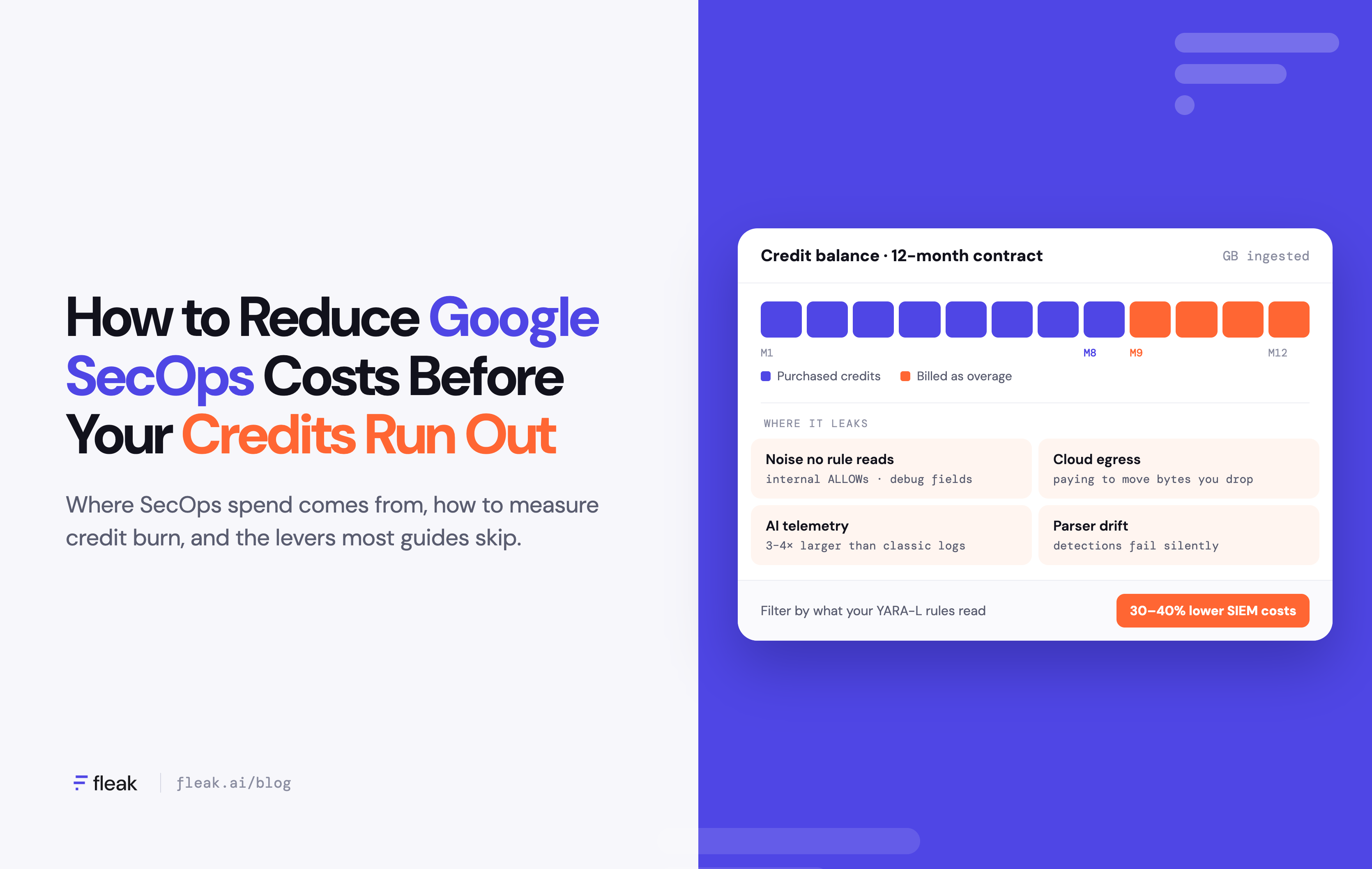
Remember when Google SecOps was the SIEM you didn't have to budget data for? With Chronicle, you’d pay a flat-fee based on employee count instead of ingestion. Well, that model is gone. Now, you’re paying by ingestion volume (Google Cloud), and anything past your purchased data cap is billed as overage (SIEMCostCalculator).
The renewal conversation has been flipped. Security teams are no longer asking "what else can we send?" Instead they’re asking "why did our credits run out in month eight?"
Let’s discuss where Google SecOps spend comes from, how to measure your noise tax with data you already have, and the cost levers most guides skip: cloud egress, AI telemetry, parser drift and lock-in.
Where Does Google SecOps Spend Come From?
Google doesn't publish SecOps list prices, but pricing is defined based on three fixed packages. Each package gives you credit balance in gigabytes. Each gigabyte of data you send to the SIEM gets deducted from this set credit balance. The license is a small piece of the price puzzle. These are other factors that add up:
|
Cost driver |
What it looks like |
Why it costs you |
|---|---|---|
|
Ingestion credits |
A purchased GB data cap drawn down by every byte you send |
Low-value logs burn credits at the same rate as high-value ones, and overage starts when the cap runs out |
|
Retention past 12 months |
One year of retention is included, longer retention is an add-on |
Every GB you ingest today is a GB you may pay to keep for years |
|
Security Tokens |
A separate meter for Google's agentic SOC features, such as AI triage and investigation |
Noisy data means more for AI agents to read and more tokens spent |
|
Package upgrades |
Rule caps per tier |
Teams upgrade to raise caps, then pay a higher per-GB rate on every byte |
|
Cloud egress |
Logs from AWS, Azure or on-prem networks shipped to Google Cloud |
Your other cloud bills you per GB to send logs out, before SecOps bills you to ingest them |
Sources: Google Cloud: Security Operations, Google SecOps Security Tokens, SIEMCostCalculator.
Add these all together, and you’re paying for your data three or four times.
Why Do Teams Keep Overspending on Google SecOps?
We see this story often in our conversations with security leaders. They know their SIEM holds low-value data, but the risk of changing things feels too strong. Every reason to keep sending everything is noise on its own:
- Fear of blind spots. Nobody wants to explain to the board that the log they cut was the one that mattered.
- Detections nobody fully mapped. Rules were written by people who've left, and no one knows which UDM fields each one reads.
- A habit from the unlimited era. Many Chronicle customers onboarded when ingestion was free, so their pipelines were built to send everything.
- No time. Tuning ingestion is data engineering, and the team is already overloaded.
As a result, teams cut nothing and burn through their credits long before the contract ends.
How Do You Measure Your Google SecOps Credit Burn?
Measuring your credit burn will help you understand what your SIEM spend is going to. Start with data you already have:
- Rank your sources by volume. Use your SecOps ingestion metrics to list GB per day by log type. In most environments, a handful of sources (firewall, DNS, proxy, EDR telemetry, cloud audit logs) make up most of the bill.
- Map detections to data. Export your YARA-L rules, single-event and multi-event, and list the log types and UDM fields each one references (for example, metadata.event_type, principal.ip, target.user.userid).
- Check what analysts actually use. Review 90 days of searches and dashboards to see which log types are queried during investigations.
- Do the math. Volume that no rule, dashboard or search touches, multiplied by your per-GB rate = your credit burn.
If step 2 stalls because nobody can trace rules to fields by hand, that's a sign you need a pipeline layer.
How Do You Reduce Google SecOps Costs Without Losing Detection Coverage?
The result from your audit might shock you. Luckily, there are a number of hacks for cutting down your SecOps bill:
- Claim free ingestion first. On Enterprise and Enterprise Plus contracts signed on or after February 1, 2026 (above a minimum contract value), Google's Data Benefit Program excludes Google Cloud audit logs and Workspace logs (up to 10 GB/day each), Chrome Enterprise logs and approved third-party EDR alerts from your data cap. Check that these sources are tagged correctly before you cut anything else.
- Filter events, not sources. Dropping a whole source is risky. Dropping internal
ALLOWlogs from a firewall while keeping denies and external connections usually isn't. Be careful with multi-event rules: a rule that flags a login followed by a privilege change within 10 minutes breaks if you drop "routine" login successes. - Trim fields inside each event. Duplicate raw message copies, debug fields and verbose metadata add bytes without adding detections. Smaller events stretch the same credit balance further.
- Split the stream. Send what detections need to SecOps, and send 100% of raw logs to low-cost object storage for audit, compliance and rehydration. You keep your data without paying SIEM rates for it.
- Reduce before data leaves its cloud. Filter in the AWS or Azure region where logs originate, or on-prem, so you don't pay egress on bytes you'll throw away.
- Gate AI telemetry before you turn it on. Prompt, response and agent trace logs run 3 to 4 times larger than traditional logs. Decide what's worth ingesting before the first AI app is wired in.
- Right-size the package. If you're upgrading to raise rule caps, consolidating overlapping rules may cost less than a higher per-GB rate on every byte.
None of this requires new software. It does require someone who can map every YARA-L rule to the fields it reads, and keep that map current as rules and sources change, though.
What Do Most Google SecOps Cost Guides Leave Out?
Most advice stops at "filter before you ingest." That’s a good start, but it skips out on where Google SecOps budgets quietly leak.
|
Blind spot |
What it looks like |
Why it costs you |
|---|---|---|
|
Parser drift |
A vendor firmware update changes a log format, and the SecOps parser stops filling key UDM fields |
You still pay to ingest every byte, while detections that rely on those fields silently stop firing |
|
Egress before ingestion |
Logs leave AWS, Azure or a data center at full volume, then get filtered later |
You pay egress on data you were going to drop anyway |
|
AI telemetry and Security Tokens |
Prompt logs and agent traces arrive raw, then AI agents read them during triage |
Bigger logs burn ingestion credits, and noisier data burns tokens |
|
Lock-in |
Native pipelines route to Google destinations, and routing elsewhere is a 12-month migration feature on Enterprise Plus |
Running two SIEMs during a move, in or out, means paying twice |
Google's own Data Processing Pipelines can filter, transform and redact data before ingestion. It’s a good start. But Standard and Enterprise include only limited filtering and transformations, advanced filtering and routing require Enterprise Plus, and pipelines route to Google destinations (Google Cloud). Your team still builds and maintains the rules. Third-party pipelines can fill some of those gaps, but many are cloud-only or priced on the same ingestion volume you're trying to shrink.
That’s where Fleak comes in.
What Is Fleak, and How Does It Cut Google SecOps Costs?
Fleak is a security data pipeline platform: a pre-SIEM data layer that sits between your sources and Google SecOps. It doesn't replace your SIEM, rather It decides what each piece of data is worth before you pay to move, ingest or store it.
- Detection-aware filtering. Fleak maps your detection rules to the fields they read, keeps what they need and routes the rest to low-cost storage, so cost cuts don't reduce coverage.
- Native UDM output. Fleak normalizes data to UDM (as well as OCSF, CIM and ASIM), so SecOps gets clean, consistent events and your parsers do less work.
- Schema drift detection. When a source changes its format or meaning, Fleak flags it early and quickly heals the pipeline, so detections keep working instead of failing silently.
- Runs where your data lives. Deploy in the cloud, hybrid or fully on-prem and air-gapped, with no data egress. Filter in the source region and stop paying to send noise.
- AI-built, deterministic-run. AI generates and maintains pipelines in minutes. In production, they run deterministically, with change control and a full audit trail.
- No lock-in. Fleak can fork data to two destinations at once, so you can run SecOps alongside Splunk or Sentinel during a migration without building every pipeline twice.
With Fleak, our customers typically see 30–40% lower SIEM costs, with savings showing up in 2–4 weeks.
FAQ
Does Google SecOps still offer unlimited ingestion?
No. Chronicle's original flat, per-employee model is gone. All three SecOps packages are now priced on ingestion volume, with overage billed past your commitment.
Can you reduce Google SecOps costs without losing detection coverage?
Yes. Filter at the event and field level based on what your YARA-L rules read, and keep 100% of raw logs in low-cost storage so nothing is lost for audit or investigations.
Are Google's native Data Processing Pipelines enough?
Yes, for simple filtering on a single SIEM. Teams that need detection-aware filtering, on-prem processing, drift handling or multiple destinations usually need a dedicated pipeline layer.
Does filtering before SecOps add latency?
No, not in a way that affects detection. Fleak processes events with sub-second latency, so MTTD and MTTR aren't affected.
Do I have to replace Google SecOps to cut costs?
No. Fleak sits in front of SecOps and works with the detections, parsers and workflows you already have.
How long do retained logs cost money in Google SecOps?
The first 12 months of hot retention are included. Retention beyond that is billed by volume, so every GB you avoid ingesting also lowers future retention costs.
Credit Burn Is a Choice
Let's be honest. Credit burn isn't the price of running Google SecOps. It's the price of sending data whether it’s worth something or not.
Fleak categorizes your data appropriately, determining what storage option it should go to or if it needs to be stored at all, before you incur ingestion and storage costs. That's how you make sure you stay within your credit balance during the contract and don’t pay for overage.
Want to see your own credit burn? Get a free data audit and a custom ROI report for your Google SecOps environment.
Sources
- Google Cloud: Security Operations (packages and pricing basis)
- Google Cloud: Security Operations Data Benefit Program
- Google Cloud: Optimize high-volume log ingestion
- Google Cloud: Security Tokens pricing and billing
- SIEMCostCalculator: Google SecOps (Chronicle) Pricing 2026