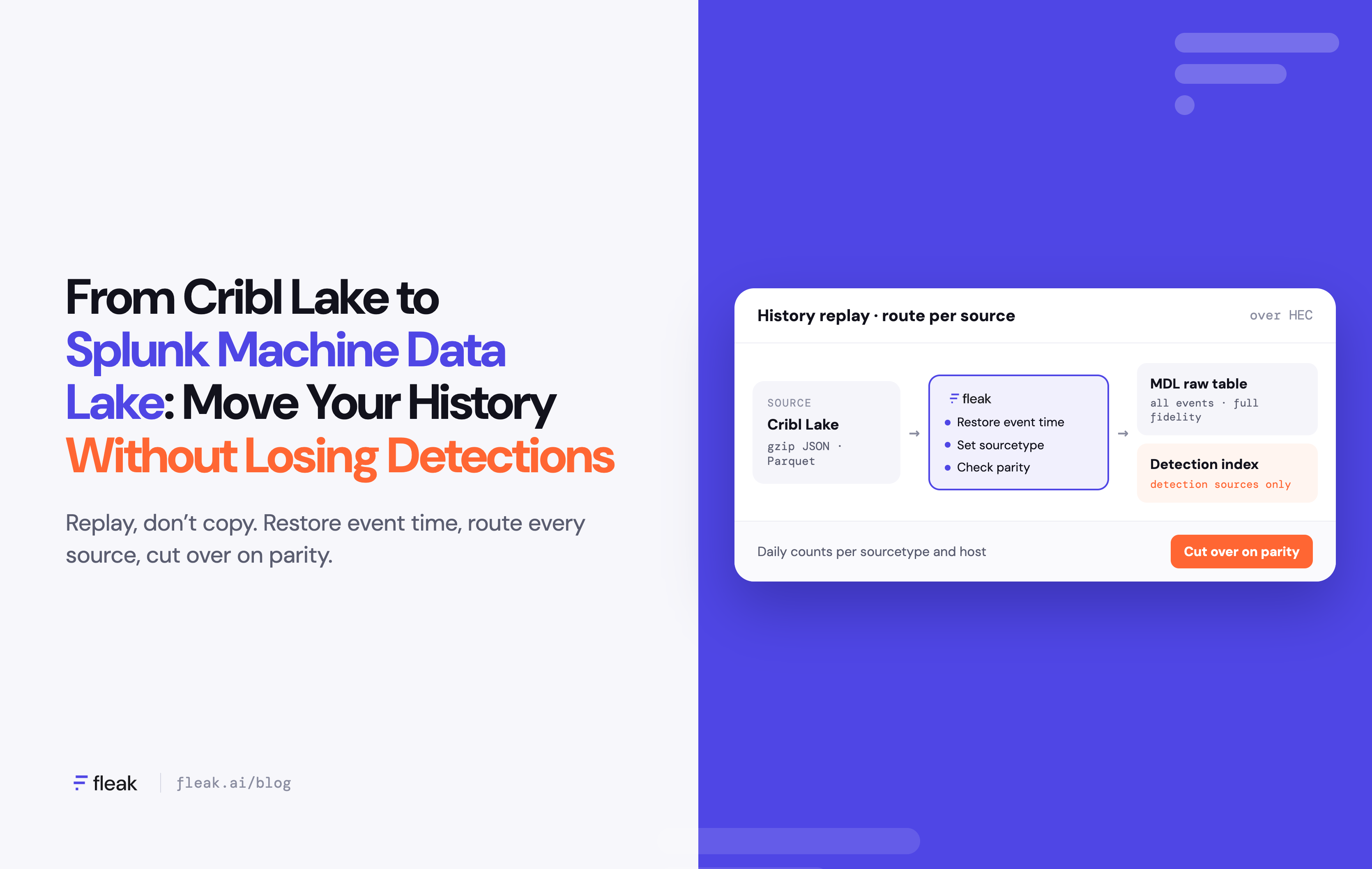
On August 4, 2026, Splunk made Machine Data Lake generally available in Splunk Cloud Platform. It's a managed, low-cost tier for long-term machine data, available in US-East, Frankfurt, Tokyo and Sydney. Data lands in raw tables, and the slices you need for investigations are promoted into Splunk indexes.
Teams that built a Cribl Lake to keep Splunk costs down now have an obvious question: can the lake live inside Splunk? It can, but not by copying files. Every dataset has to be replayed through a supported input such as HTTP Event Collector (HEC), with its original event time, source, sourcetype and host, and the sources your detections read have to keep landing in the indexes those detections search.
This guide covers the migration with Fleak: what to index, how to map fields, how to check parity, and what it does to your Splunk bill.
Why teams move Cribl Lake data into Splunk
Most teams adopted Cribl Lake for one reason: Splunk index storage was too expensive for data nobody searched every day. Cribl Stream sent full-fidelity copies to the lake and a trimmed stream to Splunk. Cribl Lake stores each dataset as gzip-compressed JSON or Parquet, with retention set per dataset from 1 day to 10 years (Cribl docs).
Machine Data Lake changes that math. A separate lake and a separate pipeline vendor made sense when Splunk had no cheap tier. Now many teams want one place to search, one access model and one fewer contract.
The hard part is the history already sitting in Cribl Lake.
What any migration has to get right
Copying files doesn't work. Both products sit on object storage, so copying looks like the obvious move. But data written straight into object storage, outside Splunk's supported landing workflow, is never registered as a Machine Data Lake raw table (Splunk docs). Splunk can't search it, promote it or govern it.
Replay is the right mechanism for history. Cribl Stream's Lake Collector can replay a dataset to Splunk HEC, and Fleak replays over HEC too. But a replay that only moves bytes leaves three jobs undone, whichever tool runs it:
- Restore event time. Events that reached Cribl Lake without a numeric _time were stamped with the time the Cribl Lake destination wrote them. Replay them as-is and they carry that write time, not the time they happened; a dataset loaded in bulk collapses a week of firewall logs onto one afternoon. Events sent with no time at all are stamped by HEC with the moment they arrive, so old events show up as current activity, where scheduled correlation searches can fire on them.
- Decide what gets indexed. Raw tables are storage-optimized and searchable only by source, sourcetype, host and time (limits). Enterprise Security correlation searches and data models need an index. Every source has to be sent to the lake, an index, or both.
- Keep history out of your indexes unless there's a gap. Your detection indexes already hold the lookback window Cribl Stream has been sending. History older than that belongs in the lake. Replaying it into an index that already has those days creates duplicate events, which skew counts, re-trigger alerts and cost ingest twice. Backfill an index only where it has a real gap, such as fields Cribl trimmed that a detection now needs, and only for the missing range. Promotion can't fill that gap in place: static promotion creates a new index rather than adding to an existing one (Splunk docs).
Live traffic is the other half. Detections are most at risk not from history but from switching live sources. Today Cribl Stream probably sets sourcetypes, parses and renames fields, enriches events with lookups and filters them before they reach Splunk. Your correlation searches and data models depend on that output. Whatever replaces Cribl Stream has to reproduce it, and you need proof it did before the first source is repointed.
You can do all of this in Cribl, dataset by dataset and pipeline by pipeline. The difference is how much you build by hand and how long you keep paying for Cribl. Fleak handles time restoration, per-source routing and per-day parity checks as part of the migration. It runs new pipelines side by side with Cribl Stream so you can compare output before cutover, and it reads bring-your-own-storage Cribl Lake buckets directly. Once the last live source moves to Fleak, Cribl Stream can be retired, even while history is still replaying. The exception is Cribl-managed storage: Fleak can't read it directly, so Cribl replays it to Fleak, and Stream stays until that replay finishes.
Decide what to land, what to index, what to send to both
Make this decision before you map a single field. A simple starting rule: if a correlation search or a CIM data model reads it, index it. Everything else lands in the lake, where it stays searchable by metadata and can be promoted when an investigation needs it.
In our CloudTrail analysis, detection rules read only about 18% of each record's bytes, but a few broad rules needed every event. The same caution applies here: before you route part of a source to the lake by event type, check whether a broad rule reads all of it.
|
Data in Cribl Lake |
Read by detections? |
Typical route |
|---|---|---|
|
Authentication events (Okta, Entra ID, Windows 4624/4625) |
Yes, Authentication data model |
Both: index for detections, lake for full history |
|
Endpoint and EDR telemetry |
Yes, Endpoint data model |
Both |
|
Firewall threat and URL logs |
Yes, Intrusion Detection and Web data models |
Both |
|
Firewall allow/traffic logs |
Sometimes, depending on your network detections |
Check your searches; often lake, promote on demand |
|
VPC and NetFlow records |
Rarely |
Lake, or summarize before indexing |
|
Debug, health and verbose app logs |
No |
Lake only |
|
History older than your detection lookback |
No |
Lake only |
This table is a starting point, not an answer. Before you cut over, check every enabled correlation search against it, along with the saved searches, dashboards and compliance reports your team runs. Anything that reads a sourcetype marked lake-only either keeps an index route or is retired on purpose.
Two things to know about "promote on demand":
- A promotion creates a new index. Existing searches and alerts won't see the promoted data unless you point them at it.
- A large promotion takes time. If your incident response depends on a source within minutes, index it.
Field mapping: Cribl Lake events to Splunk HEC
A raw table can only be filtered by four fields: source, sourcetype, host and time. If those are wrong on the way in, the data is in Splunk but nobody can find it. Fleak sets all four on every event and keeps the original _raw.
|
Cribl Lake event field |
Splunk HEC field |
What Fleak does |
|---|---|---|
|
_raw |
event |
Sent unchanged, so CIM field extractions still work after promotion |
|
_time |
time (epoch seconds) |
Re-derived from the timestamp inside _raw when _time is missing or equals the write time |
|
host |
host |
Kept; filled from the raw event or a dataset default when empty |
|
source |
source |
Kept, or set per dataset (for example cribl_lake:<dataset>) |
|
sourcetype |
sourcetype |
Set per event type so Splunk add-ons parse it (for example pan:traffic, cisco:asa) |
|
index |
index |
~.federated.<raw_table> for lake-only, a Splunk index for detection sources, or both |
|
Other top-level fields (cribl_*, dataset, datatype) |
fields |
Dropped by default; kept as indexed fields only where a search needs them |
sourcetype is the field to get right. It decides which Splunk add-on parses the event, and that decides whether the event fills a CIM data model.
Step-by-step: Cribl Lake to Machine Data Lake with Fleak
The migration runs in six steps. Live sources move first, one at a time; history follows, one dataset at a time. Each source and each dataset can be rolled back on its own.
Diagram: Every event lands in the lake; only detection sources also go to an index:
Cribl Lake (full history; S3 or Azure buckets) → replay → Fleak (restores event time; sets source, sourcetype, host; routes: lake, index or both; checks parity per day) → MDL raw table (all events, full fidelity; search by metadata only) and/or Splunk detection index (detection sources only; correlation searches run here). Static promotion from the raw table creates a new index.
Every event lands in the raw table. Detection sources also go to the indexes your searches already read; older slices can be promoted into a new index when an investigation needs them.
Step 1: Inventory datasets and pipelines
List every Cribl Lake dataset with its format (gzip JSON or Parquet), storage location, retention, partitions, size and the Cribl Stream routes that feed it. Then list what each Cribl Stream pipeline does to live data before it reaches Splunk: the sourcetypes it sets, the fields it parses or renames, and any lookups, filters or sampling. Fleak reads bring-your-own-storage buckets on S3 or Azure directly. For Cribl-managed storage, it receives replays from Cribl's Lake Collector or Search send.
[Screenshot: Fleak dataset inventory showing Cribl Lake datasets with size, format and retention]
Step 2: Create the Machine Data Lake raw table and HEC token
In Splunk Web, go to Settings > Add Data > Monitor > HTTP Event Collector. Name the token after its raw table, set ~.federated.<raw_table_name> as the default index, and add it to the allowed indexes (Splunk docs). Create a second token for each detection index you dual-route to.
Set the raw table's retention to cover the oldest data you'll move for as long as your compliance policy requires. Splunk doesn't document whether raw-table retention counts from event time or landing time, so replay a small, old slice first and check that it stays.
Step 3: Map each dataset to Splunk metadata
Set source, sourcetype and host for each event type, and apply the land, index or both decision from earlier. This is what a replayed event looks like on the wire:
{
  "time": 1760531400,
  "host": "pa-fw-01",
  "source": "cribl_lake:pan_traffic",
  "sourcetype": "pan:traffic",
  "index": "~.federated.pan_traffic_raw",
  "event": "1,2025/10/15 12:30:00,012345678901,TRAFFIC,end,..."
}
In Fleak, the routing for that source looks like this:
# [Placeholder: replace with the actual Fleak pipeline export]
source:
  type: cribl_lake
  bucket: s3://acme-cribl-lake/pan_traffic/
  format: json_gzip
transform:
  restore_time_from: _raw
  set:
    sourcetype: pan:traffic
    source: cribl_lake:pan_traffic
routes:
  - match: log_subtype in ("threat", "url")
    destinations: [mdl_raw_table, splunk_index_pan]
  - match: default
    destinations: [mdl_raw_table]
The index route applies to live traffic. For history, run the same mapping with the index route off, unless you're filling a specific gap.
[Screenshot: Fleak mapping view with source, sourcetype and host set per event type]
Step 4: Move live sources
For each live source, run the Fleak pipeline next to the Cribl Stream pipeline it replaces and compare the output: event counts, sourcetypes and the data model fields your correlation searches read. When they match, repoint the source to Fleak. From then on it lands in the lake and keeps feeding its detection index. Move one source at a time, and keep the Cribl route ready to switch back.
If a source's format changes mid-migration, Fleak detects the drift and repairs the mapping, typically in under three minutes, so events don't reach Splunk with the wrong sourcetype.
Step 5: Replay history into the lake
Fleak replays history over HEC in time windows with backpressure, so a backfill never crowds out live traffic. Size the job first: a year at 500 GB/day is about 180 TB through HEC, so check your Splunk Cloud ingest limits and agree on a throughput with your Splunk team. [Placeholder: add measured Fleak replay throughput.]
If you do backfill a gap in a detection index, check that index's retention first. Events older than its retention period age out almost as soon as they land.
[Screenshot: replay progress by dataset and time window]
Step 6: Cut over on parity
Compare event counts per sourcetype, host and day between each Cribl Lake dataset and its raw table. Once they match, retire that Cribl dataset, so one slow dataset doesn't hold up the rest. Retire Cribl Lake when the last dataset matches, and Cribl Stream when the last live source has moved (on Cribl-managed storage, when the last replay finishes).
Checking it in Splunk
There are two places to check: the raw table and the detection indexes.
In the raw table, open it from the Catalog and filter by sourcetype, host and a narrow time range. Raw table search only supports those metadata fields, so this confirms the data landed with the right labels and times. It isn't a hunt. Catalog statistics refresh on a schedule, so allow some lag before treating missing metadata as missing data.
In the detection index, confirm there is no gap and no doubling around each live cutover. Daily counts per sourcetype and host should run smoothly across the cutover date:
| tstats count where index=pan sourcetype=pan:* earliest=<two weeks before cutover> latest=now
  by _time span=1d sourcetype host
A drop means events are missing or mislabeled. A jump means Cribl and Fleak are both sending the same events.
Then confirm the events still fill the data models your correlation searches read:
| tstats summariesonly=false count from datamodel=Authentication
  where Authentication.action=failure earliest=<two weeks before cutover> latest=now
  by _time span=1h, Authentication.user, Authentication.src
Run it with summariesonly=false first. If that returns events and summariesonly=true doesn't, acceleration hasn't caught up yet. If neither returns anything after the cutover, check the sourcetype mapping and the fields your old Cribl pipeline used to set.
For older history you didn't index, promote a slice from the Catalog by source, sourcetype, host and time range, then search the new promoted index with normal SPL.
What this does not mean
- Your Cribl Lake data isn't at risk if you wait. Nothing here forces a deadline. It's a choice about where your history lives.
- The lake doesn't replace your indexes. Raw tables are for retention and metadata search. Detections, dashboards and alerts still run on indexes.
- Migration isn't free. Replaying history over HEC consumes Splunk ingest, and Machine Data Lake storage has its own cost. Splunk doesn't publish a per-GB price for Machine Data Lake, so price the full backfill and ongoing landing with your Splunk team before you start.
- You don't turn Cribl off on day one. Keep Cribl Lake until the last dataset is replayed and counts match.
Estimated cost before and after
Splunk doesn't publish a per-GB price for Machine Data Lake, so this example is in volume, not dollars. Fill in your own contract rates.
Example: a team sends 500 GB/day through Cribl. Cribl Stream trims it to 300 GB/day for Splunk and keeps all 500 GB/day in Cribl Lake.
|
|
Before |
After |
|---|---|---|
|
Splunk index ingest |
300 GB/day, trimmed by Cribl |
100–200 GB/day (illustrative) |
|
Full-fidelity copy |
500 GB/day in Cribl Lake |
500 GB/day in Machine Data Lake, at your MDL rate |
|
Cribl Lake storage |
Full history |
Retired after parity |
|
Cribl Stream license |
Yes |
Retired after the last live source moves |
|
Fleak |
None |
Your Fleak subscription |
|
One-time history replay |
None |
Size of Cribl Lake history, into the lake, at your MDL landing rate |
The savings come from three places: the index volume you stop paying for, the Cribl contracts you retire, and the difference between Cribl Lake and Machine Data Lake storage. Against them sit your Fleak subscription and the one-time replay. Run those numbers with your own rates before you decide.
Methodology. The 100–200 GB/day range is an illustrative estimate. It applies the routing above (authentication, endpoint and threat data indexed; bulk traffic, flow and debug logs in the lake only) to a stream Cribl has already trimmed. Your share depends on how much of today's indexed volume is allow-traffic and flow logs.
Related reading
See what you'd save before you move anything
Before you replay a single dataset, find out how much of your Cribl and Splunk volume your detections actually read. We'll show you what to land, what to index and what the move would change on your bill.
Sources
- Fleak: Cribl Lake to Splunk Machine Data Lake
- Splunk: Machine Data Lake and Catalog announcement
- Splunk docs: Machine Data Lake architecture and data flow
- Splunk docs: Route HEC events directly to Machine Data Lake
- Splunk docs: Promote data to a Splunk index
- Splunk docs: Machine Data Lake limits and caveats
- Cribl docs: Cribl Lake use case